
Timeroll3.5.5 - App Store
You'll be able to see results in few seconds.
Publisher Description


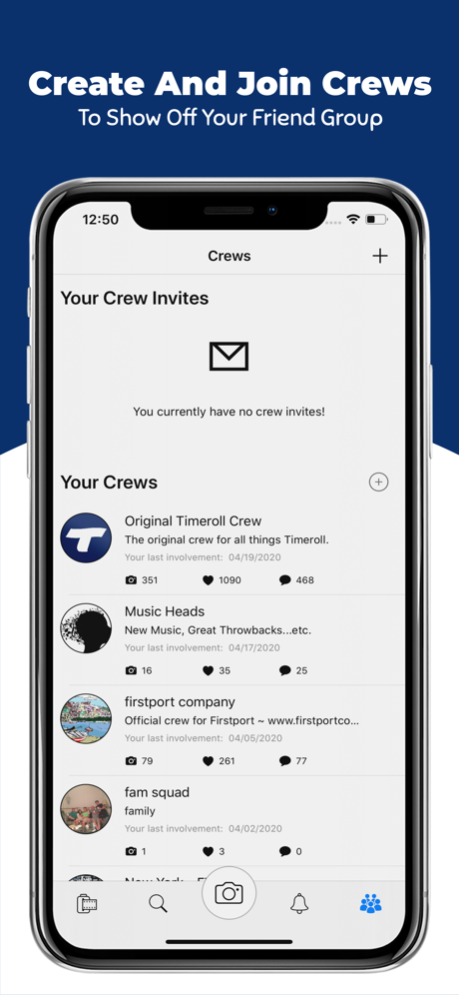
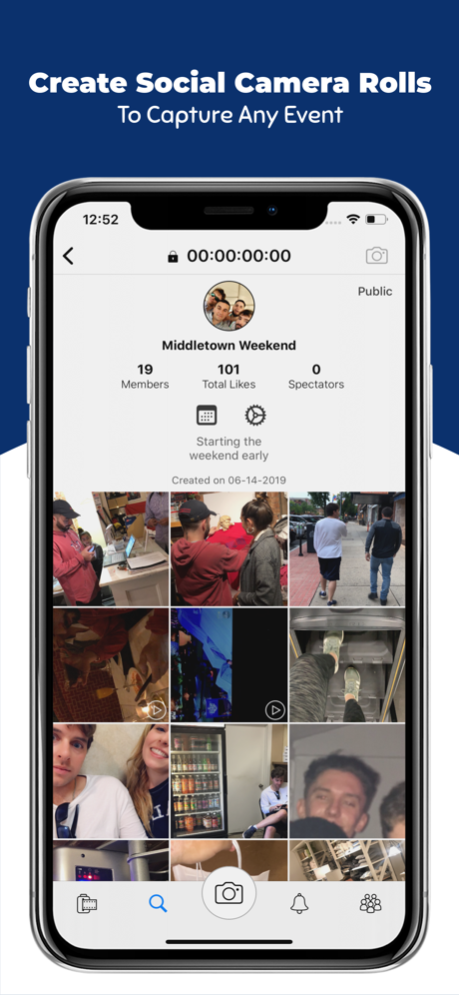
Timeroll allows your friend group(s) to share pictures and videos with the world. Traditional social media focuses on an individual sharing, posting, and growing their own brand. With Timeroll you can share, post, and grow as a group together. It is the first social media that successfully allows you to post as a collective unit.
The main feed of Timeroll is called the Mainroll. Your Mainroll consists of all your posts, as well as the posts of those you follow. You can start posting to the Mainroll as a group by creating or joining a crew. Your crew acts as a real life friend group. You can join as many crews as you like, and post to any of them at any time. Each crew has its own profile where you can see the members, total likes, total comments, and all the Mainroll posts from those who posted with that crew.
You don't need to join a crew if you don't want to. You can still follow people, see those posts on your Mainroll, and post pictures and videos as an individual.
Create Siderolls! Siderolls are event based camera rolls that can be private or public. You can invite anybody to a Sideroll and then start posting to that camera roll. Private Siderolls are separate from the Mainroll. These are made to share moments for big events such as a wedding, vacation, or a business meeting.
Use the explore page to search for users, crews, siderolls, locations, and Mainroll posts.
May 19, 2020
Version 3.5.5
-Performance Improvements
-Minor Bug Fixes
About Timeroll
The company that develops Timeroll is MarketU LLC. The latest version released by its developer is 3.5.5.
To install Timeroll on your iOS device, just click the green Continue To App button above to start the installation process. The app is listed on our website since 2020-05-19 and was downloaded 0 times. We have already checked if the download link is safe, however for your own protection we recommend that you scan the downloaded app with your antivirus. Your antivirus may detect the Timeroll as malware if the download link is broken.
How to install Timeroll on your iOS device:
- Click on the Continue To App button on our website. This will redirect you to the App Store.
- Once the Timeroll is shown in the iTunes listing of your iOS device, you can start its download and installation. Tap on the GET button to the right of the app to start downloading it.
- If you are not logged-in the iOS appstore app, you'll be prompted for your your Apple ID and/or password.
- After Timeroll is downloaded, you'll see an INSTALL button to the right. Tap on it to start the actual installation of the iOS app.
- Once installation is finished you can tap on the OPEN button to start it. Its icon will also be added to your device home screen.
Program Details
System requirements
Download information
Pricing
Version History
version 3.5.5
posted on 2020-05-19
May 19, 2020 Version 3.5.5
-Performance Improvements
-Minor Bug Fixes
Disclaimer
Official App Store Link
We do not host Timeroll on our servers. We did not scan it for viruses, adware, spyware or other type of malware. This app is hosted by Apple and passed their terms and conditions to be listed there. We recommend caution when installing it.
The App Store link for Timeroll is provided to you by apps112.com without any warranties, representations or guarantees of any kind, so access it at your own risk.
If you have questions regarding this particular app contact the publisher directly. For questions about the functionalities of apps112.com contact us.
